How to import Note Station NSX backups into Obsidian
As of October 2026, Obsidian reads Markdown notes, so a Note Station NSX backup needs conversion.
As of October 2026, Obsidian stores notes as local Markdown files, so WordPress XML needs conversion first. Use WordPress WXR Import inside your vault or Jimmy outside it, then inspect the resulting notes.
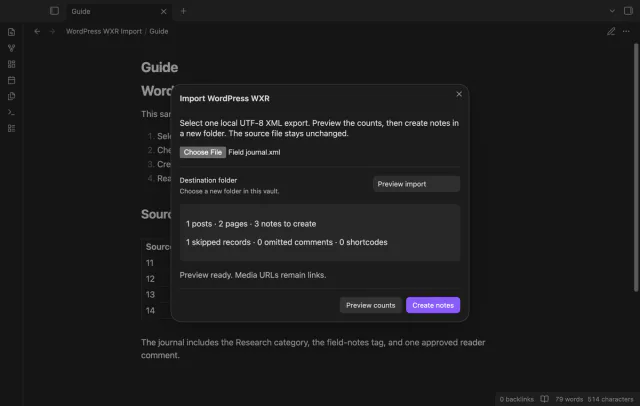
A WXR archive can contain posts, pages and records that won't become notes. WordPress WXR Import previews counts and writes an index with a skipped record report.
Install Jimmy and follow its WordPress instructions to convert your local XML export to Markdown. Convert your export, then move the Markdown output into your vault using your file browser. Obsidian documents importing Markdown files.
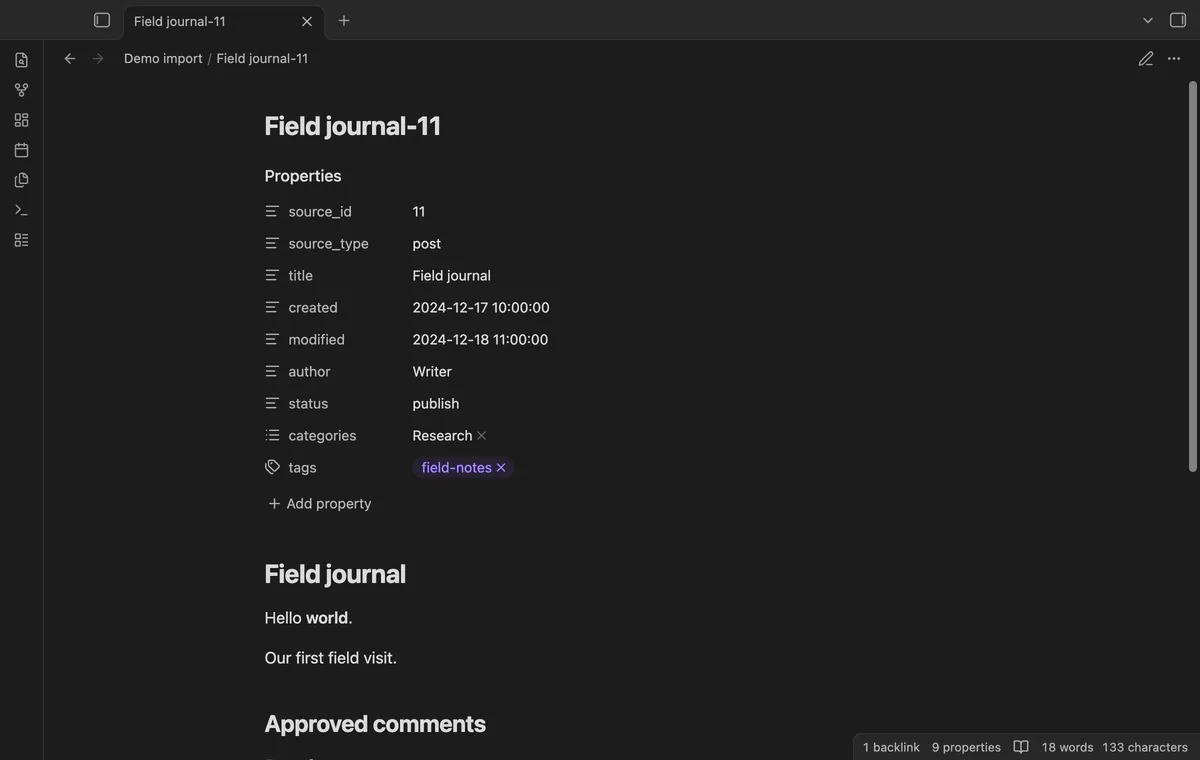
Select a local UTF-8 WXR file, enter a new destination and preview its counts. Create Markdown notes with source properties and approved comments, then open the index and report.
MIT · no telemetry · core features free
Export content from WordPress as WXR XML and keep the original file.
Run Import a local WordPress XML export.
Select the file and enter a new destination folder.
Check the counts and select Preview counts again after changing the folder or mapping.
Select Create notes, then inspect the index and report.
They don't appear under the post body. The importer counts omitted comments in the report.
Pro comparison uses _source.json to identify source record changes. Keep it with the earlier import and compare exports from the same site.
 You can now import a WordPress WXR export.
You're officially a regular.
Obsidian rewards people who share. NoteMods is just me and a lot of coffee. If this guide saved you a fight with the syntax, buy me a cup.
That's visit . Regulars are the reason I keep NoteMods running. If it's part of your routine now, a coffee says thanks better than anything.
Import WordPress XML posts and approved comments.