How to turn session edits into a CriticMarkup review note in Obsidian
As of October 2026, Obsidian File recovery lets you compare note snapshots and copy a saved version.
As of October 2026, Bases has no word count field or function. The core Word count plugin shows the count of the active note only. To sort or sum word counts in a base, the count must be a note property.
Word Count Property has Pro, and $15 one time turns it on in all 129 plugins.
The forum request "Bases: Word count function / property" opened on 6 August 2025. It has 30 likes and 16 posts. An older topic from August 2020, "Word count based on preview/rendered text, not editor text", has 36 likes and 24 posts.
Word count is a core plugin. It shows the number of words and characters of the active note. On desktop it appears in the status bar, and on mobile at the top of the right sidebar.
It supports Chinese, Japanese and Korean text, which does not use spaces between words.
Bases lists file.size as a number field, the size of the file in bytes. Add it as a column and sort by it to find long and short notes.
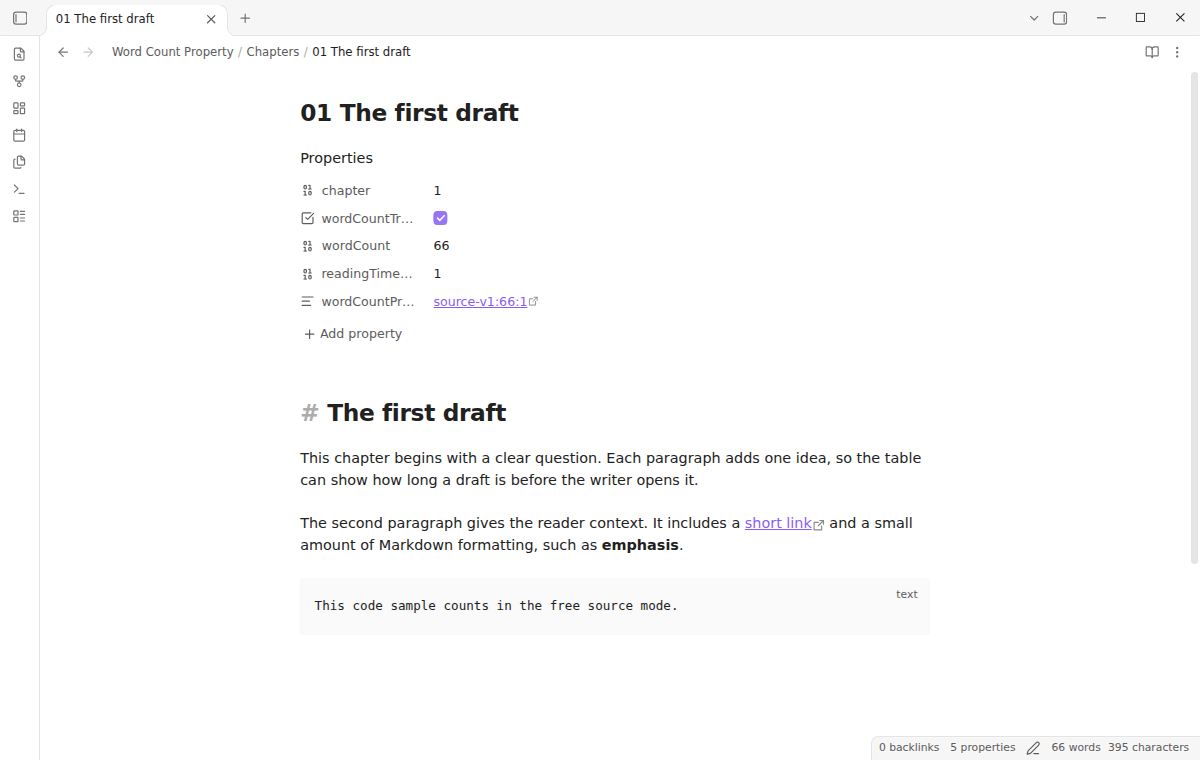
Word Count Property writes a numeric wordCount and readingTimeMinutes property to the notes that you opt in. A base can then sort, filter, group and summarize both values.
You opt in one note at a time with a command or a wordCountTracked marker. The plugin refreshes the count after edits, and the count and reading time are free.
MIT · no telemetry · core features free
Install Word Count Property from Community plugins and enable it. It needs Obsidian 1.13.4 or newer and the Bases core plugin.
Open a note and run Toggle word count tracking for the current note from the command palette.
Check that wordCountTracked, wordCount and readingTimeMinutes appear in the note properties.
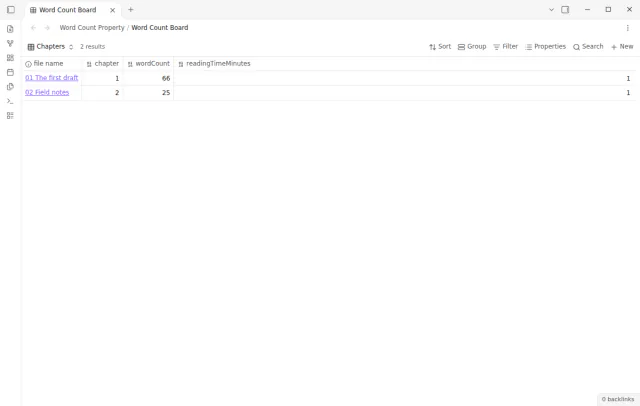
Open a Bases table and add the wordCount and readingTimeMinutes columns.
Sort, filter or summarize the columns, for example a sum of all words in a folder of chapters.
Not as of October 2026. The Bases functions page lists file fields such as file.size, file.links and file.tags, and none of them holds the note text. A word count must be in a property before a base can use it.
Yes, when each note has a numeric word count property. Filter the base to the folder and add a sum summary to the column. Word Count Property writes wordCount as a number, so the sum works.
No. Word Count Property changes only notes with the wordCountTracked marker set to the YAML boolean true. It refuses to start when a note already has wordCount or readingTimeMinutes, so it does not replace another workflow.
 You can now sort notes by word count.
This guide uses Word Count Property. Pro adds "Local reading preview". One payment of $15 turns on Pro in 129 plugins.
This guide uses Word Count Property. Pro adds "Local reading preview". One payment of $15 turns on Pro in 129 plugins.
Sort, filter and sum your notes by length in Bases with numeric word count properties.