Visual Line Numbers
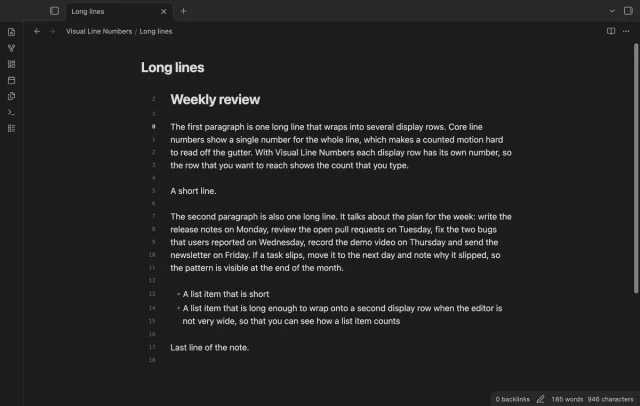
Show a line number for each wrapped row in the editor.
Emphasize word starts without changing note text.
MIT · no telemetry · core features free
Reported app checks run on macOS; mobile devices, screen readers and large-vault performance were not tested.
Directory facts fetched from community.obsidian.md/users/theluckystrike.
You want to try bold word starts in long Markdown notes while keeping their source text as written.
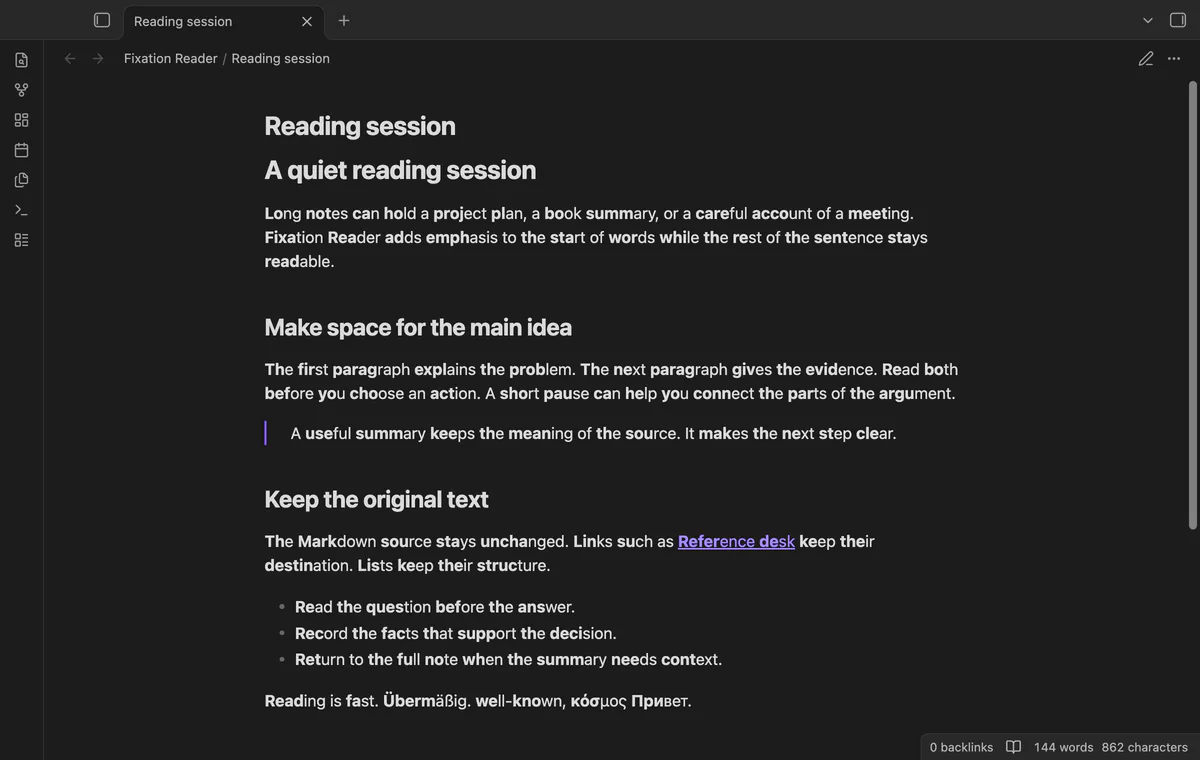
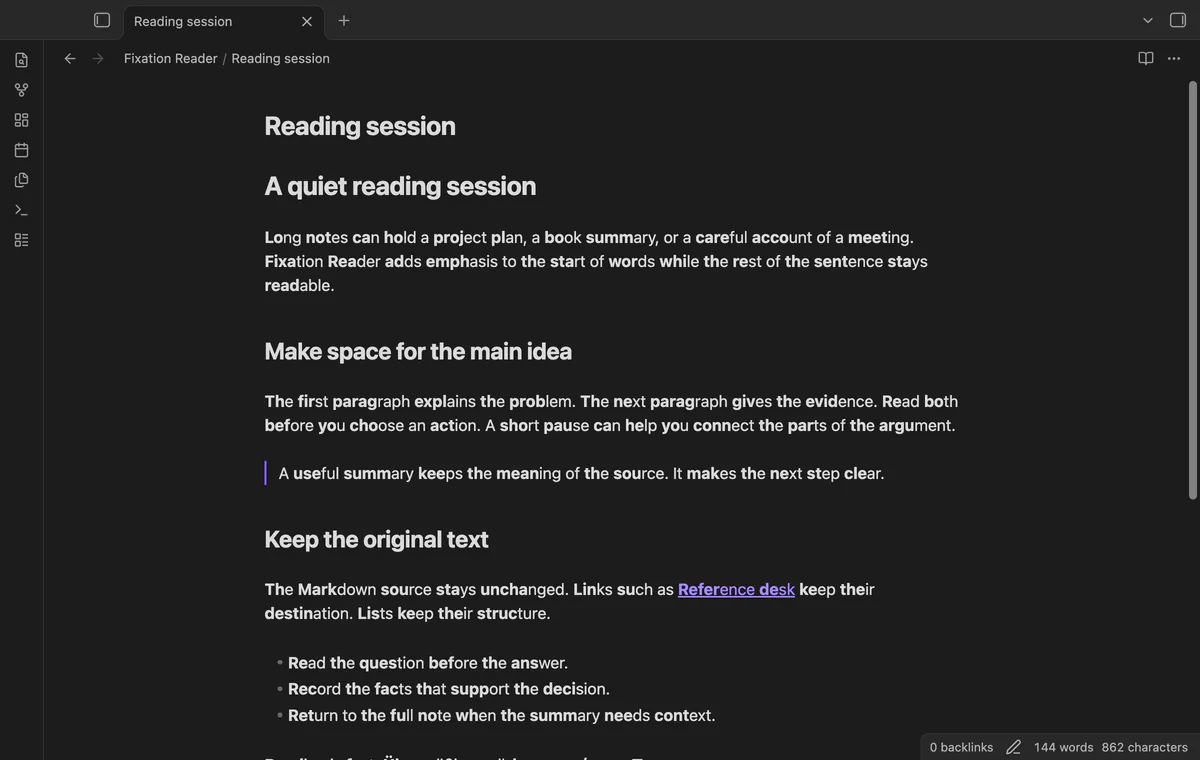
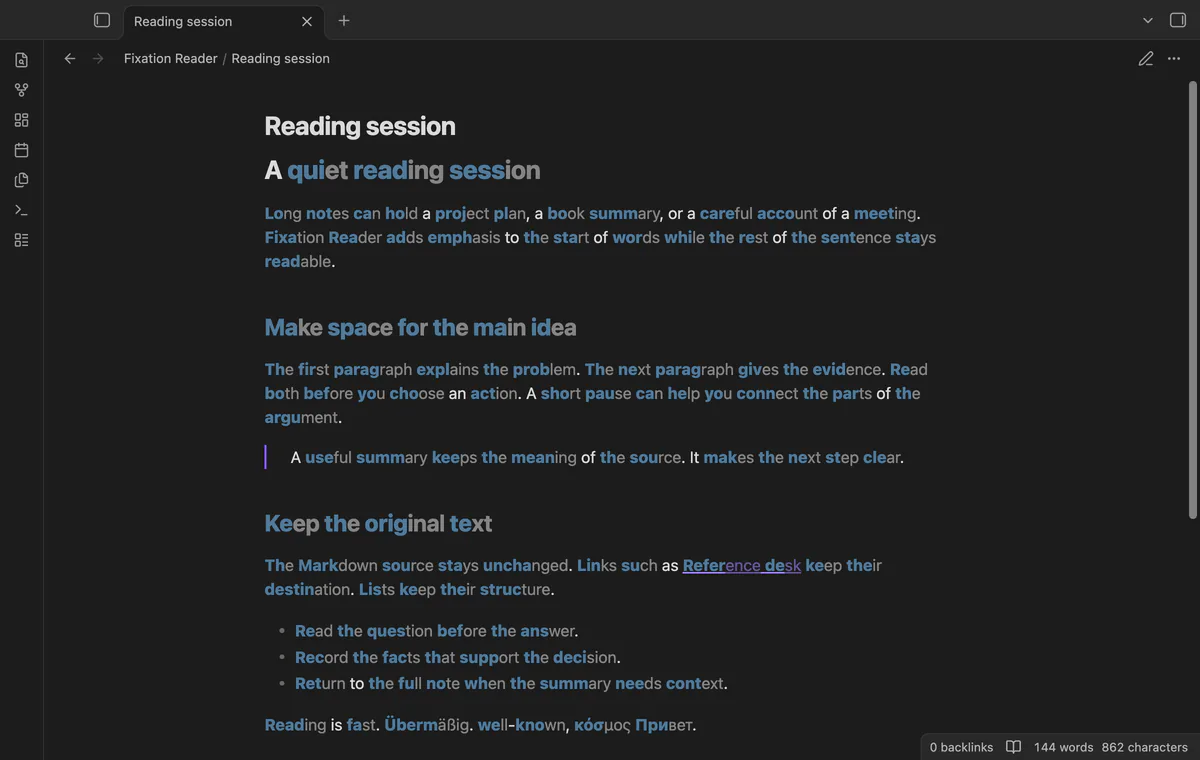
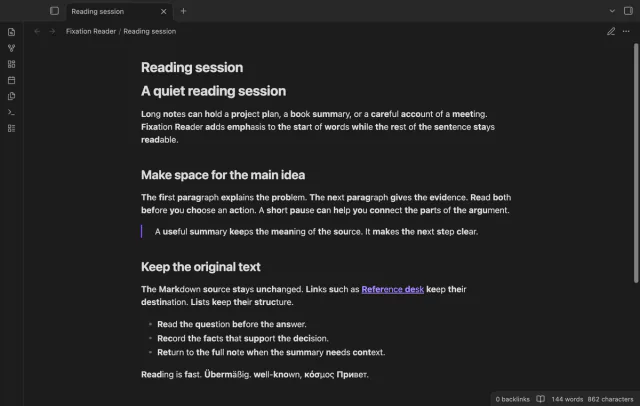
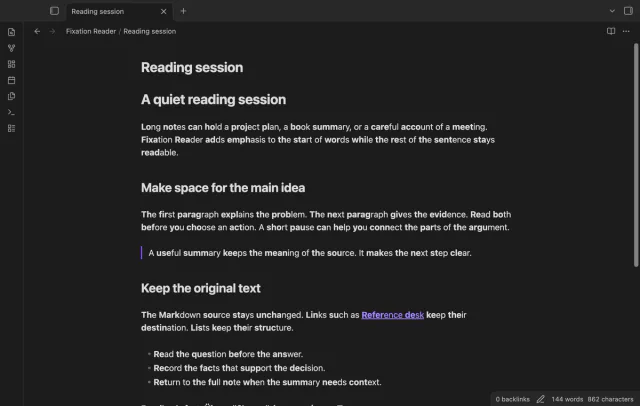
Fixation Reader emphasizes the first letters of words in Reading view. Choose the strength and minimum word length, then toggle the effect to compare a familiar paragraph. The display code leaves your Markdown source unchanged.
Reading view controls and a per-note switch are free. Pro adds Live Preview, folder and tag exclusions, and custom styling.
 Play demo
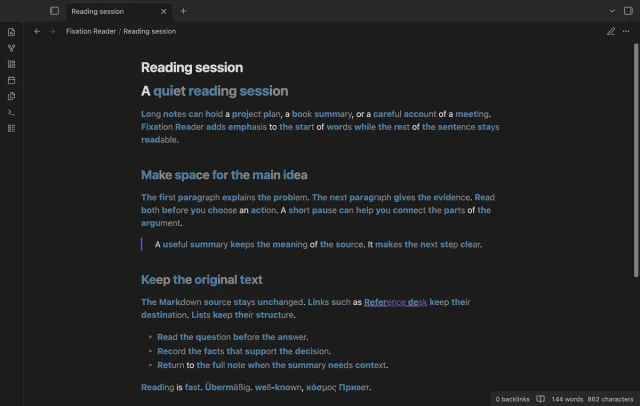
At the default strength of 0.5, Reading emphasizes its first four letters and fast its first two. Set strength from 0.2 to 0.7 and minimum length from 1 to 30. Latin, Cyrillic and Greek words follow this rule.
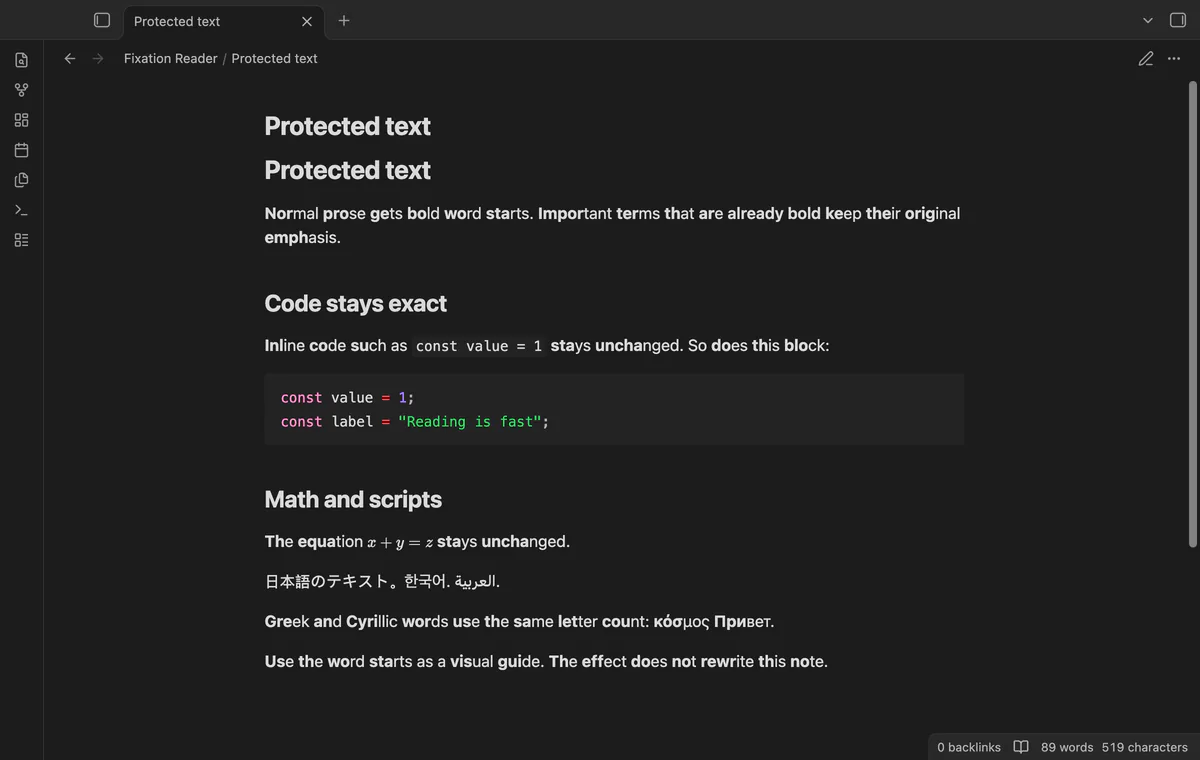
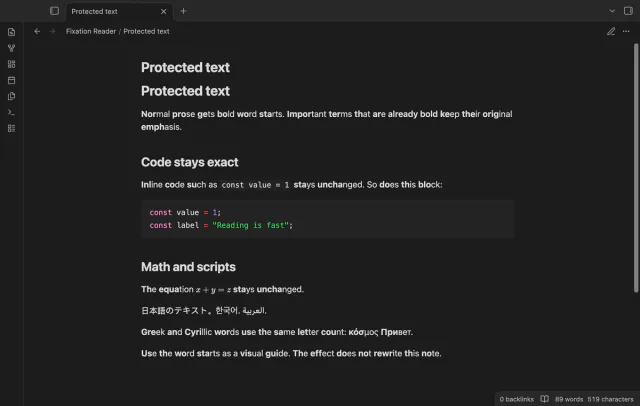
Code, math and existing bold text keep their appearance. Unsupported scripts and words mixing supported and unsupported scripts stay unchanged. Links keep their destinations, and the effect adds no Markdown markers.
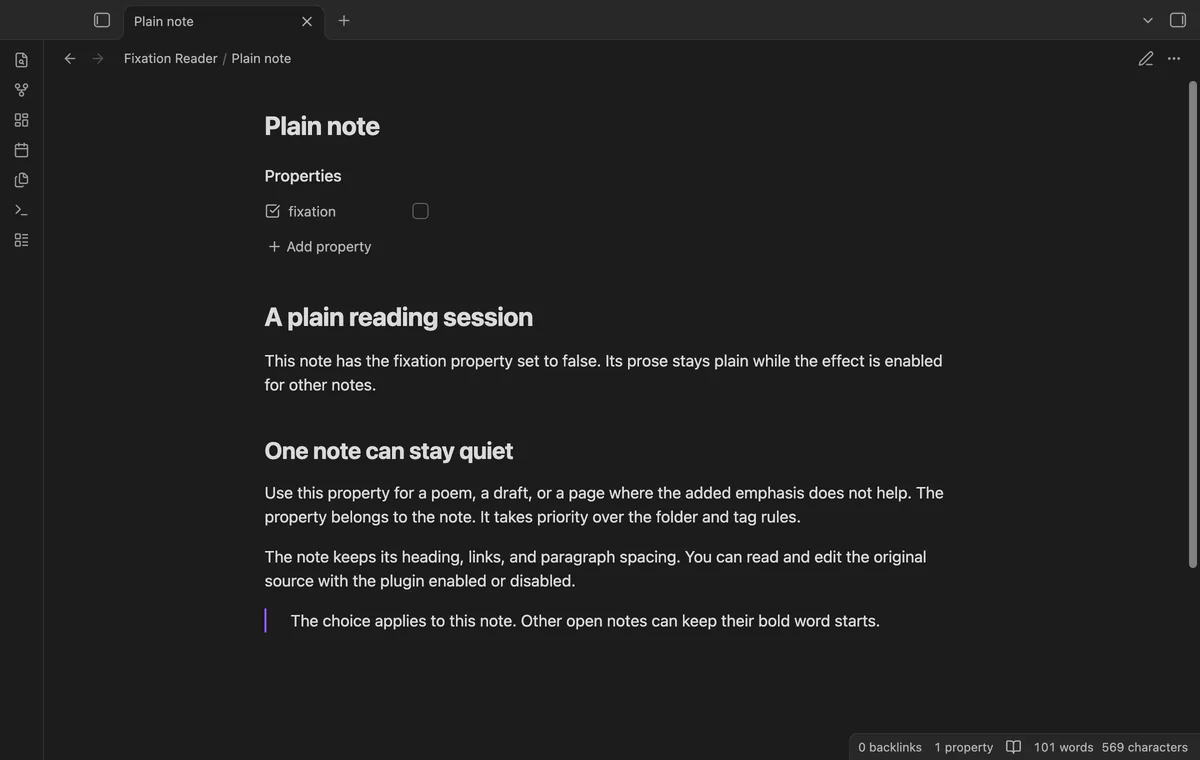
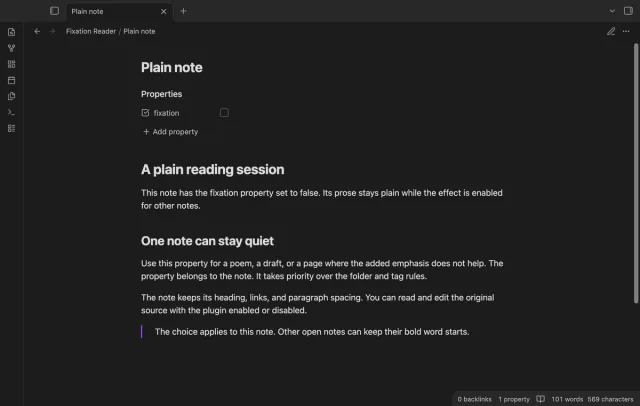
Add the Boolean property fixation: false to keep a note plain. The text value false doesn't disable it. Run Turn fixation on or off to change the saved vault setting.
Reading view, strength, minimum length and note controls are free; Live Preview, folder and tag rules, and custom styles need Pro.
Pro costs $5 a month or $15 one time through GitHub Sponsors. One sponsorship turns on Pro in every plugin that has it.
Turn on Enable in Live Preview to show word starts while editing. Source mode stays plain, as do rendered callouts and tables in Live Preview. Signing out removes the Pro editor decorations.
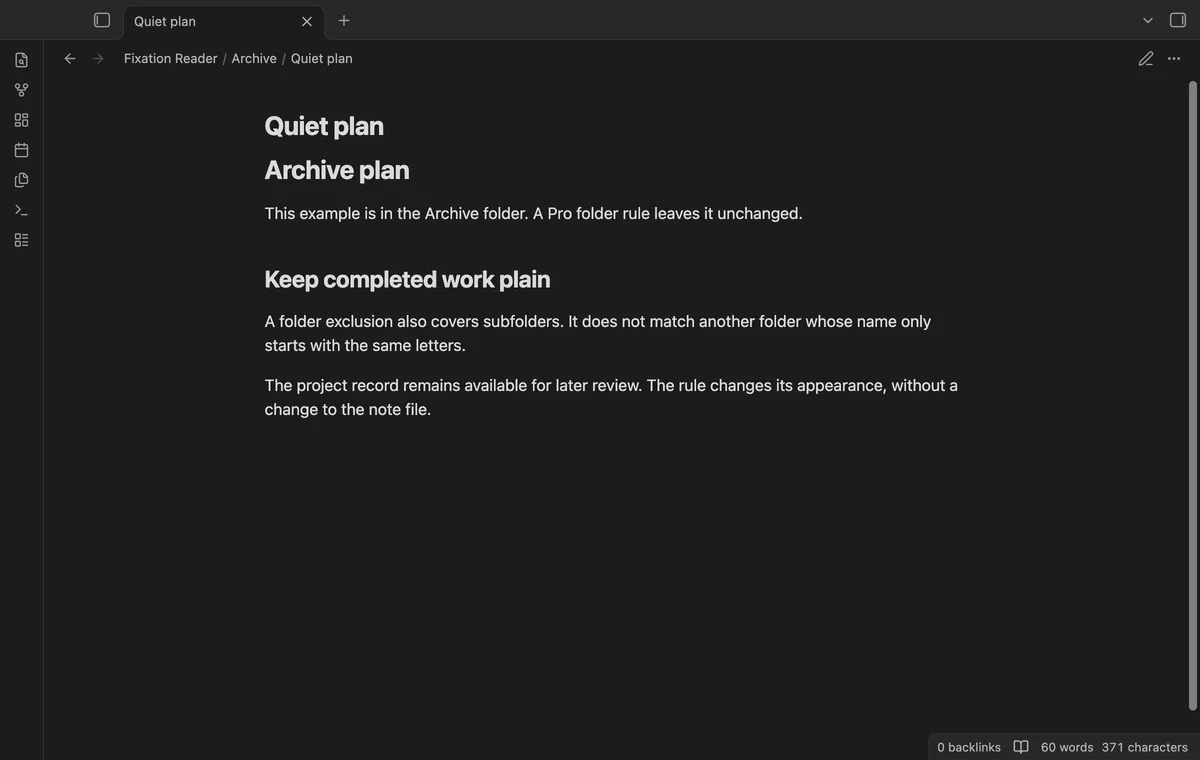
Exclude a folder and its subfolders, or exclude exact tag names. Folder matching is case sensitive; tag matching ignores case. A tag rule for skip doesn't exclude skip/child.
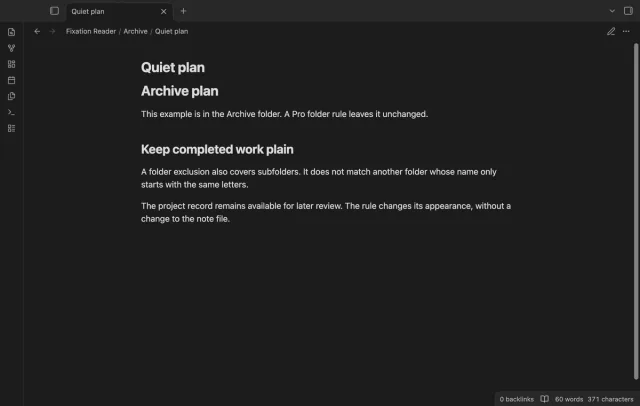
Choose a word start weight from 400 to 900 and an optional six-digit hex color. Set ending opacity from 0.3 to 1 to dim the remaining letters. Your font determines which weights it can display.
needs
steps
Install Fixation Reader from Community plugins and enable it.
Open a Markdown note in Reading view; the effect starts enabled.
Run Turn fixation on or off and compare the paragraph.
Adjust Fixation strength and Minimum word length in the plugin settings.
If the app can't find a new plugin yet, try again later. Obsidian says a plugin that passes the review shows in the app within 24 hours.
fixation: false; a text value of false does not disable the effect.Need a change for your team? I build custom Obsidian plugins and features.
The plugin makes no claim about reading speed, comprehension or health. Try the display on a familiar paragraph and use the toggle to compare it yourself.
The rule supports Latin, Cyrillic and Greek letters, including accents. Other scripts stay unchanged, as do words that mix supported and unsupported scripts.
Yes, set its fixation property to Boolean false. A quoted text value of false doesn't count as that switch.
A word split across separate rendered text nodes can get separate emphasized starts. Custom rendered embeds, PDF text and canvas text are outside the intended scope.
The editor leaves words unmarked until its Markdown parser reaches them. It checks again when the editor view updates. Source mode and rendered callouts and tables also stay plain.
Only GitHub sign-in and sponsorship checks contact github.com and api.github.com, after you select Sign in with GitHub. Sign-in sends a public client ID, scope and device code; sponsorship queries send your token and request your tier and total payment. Checks run after sign-in, on Refresh or cache expiry, without note text, file names or other vault data.
Tell me what is broken in Fixation Reader, or what it should do next.
Fixation Reader 1.1.0, MIT license
MIT · no telemetry · core features free
Show a line number for each wrapped row in the editor.

See headings from embedded notes in one outline.
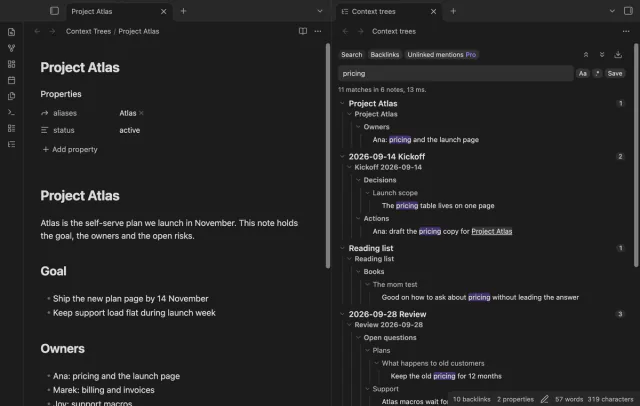
Show parent headings and lists in search results.