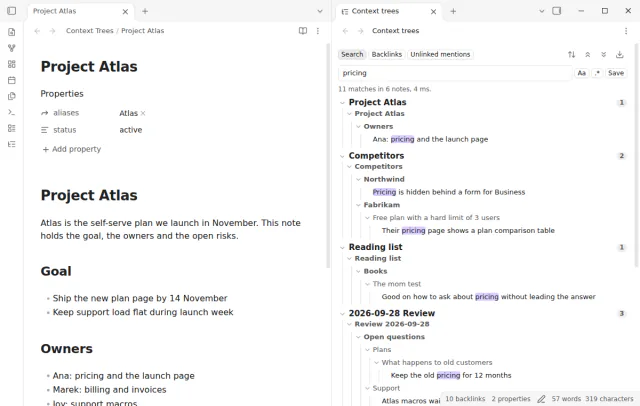
Context Trees
Show parent headings and lists in search results.
Cloud AI note apps bundle chat into a hosted subscription and store your vault on their servers. Local Obsidian plus NoteMods lets you run coding agents and MCP safely on local files.
Choose local Obsidian plus NoteMods when you want strict folder deny rules, zero vendor lock-in, and freedom to use Claude Code, Codex, Gemini CLI, Cursor, or local models on your own files. Choose a cloud AI note app when you want zero-setup hosted chat and mobile voice capture in one subscription.
| Area | Local Obsidian and NoteMods MCP tools | Cloud AI note apps (Mem, Reflect, Notion AI) |
|---|---|---|
| Where notes live | Plain Markdown files on your local drive | Hosted cloud database indexed by the vendor |
| Model and agent choice | Bring any agent or model via local files and MCP (Claude Code, Codex, Gemini CLI, Cursor, local LLMs) | Locked to the models and prompts the app vendor exposes |
| Vault safety controls | Folder deny rules, context trees, secret parcels, and vault loss alarms | Account-level cloud access with limited file-level deny rules |
| Subscription cost | NoteMods core is free, Pro is one-time ($15 Founding, $29 from Jan 1, 2027); pay only your own AI provider | $100 to $180+ per year for the note app plus AI add-on |
| Telemetry | Zero telemetry inside NoteMods plugins; notes never leave unless you invoke an agent | Cloud indexing and vendor analytics apply under SaaS terms |
| Setup effort | Install local plugins and point your CLI or MCP client at the vault | Works immediately in browser or mobile app after sign-up |
Core NoteMods features stay free under MIT. Founding one-time Pro price is $15 until December 31, 2026 and moves to $29 on January 1, 2027.
Separate private folders (finances, keys, journals) from project folders before connecting any agent.
Install Context Trees to organize structured context maps for coding and research sessions.
Add Vault Loss Alarm and Vault Path Portability to catch accidental bulk deletions or broken paths.
Use Secret Parcel and the NoteMods AI Agents and MCP hub tools to keep credentials out of agent context.
Every plugin below is free to install from the Obsidian community directory with optional Pro features.
Show parent headings and lists in search results.
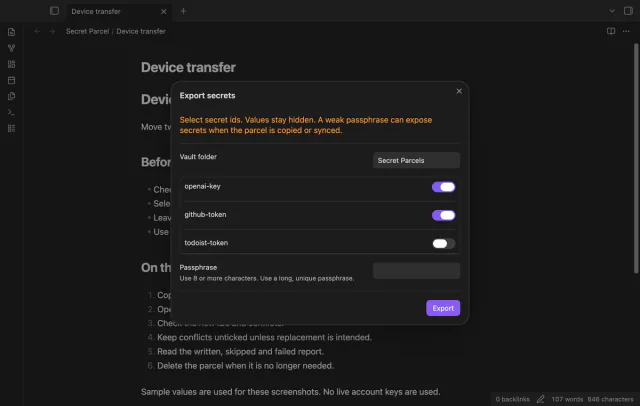
Transfer selected secrets and preview conflicts.
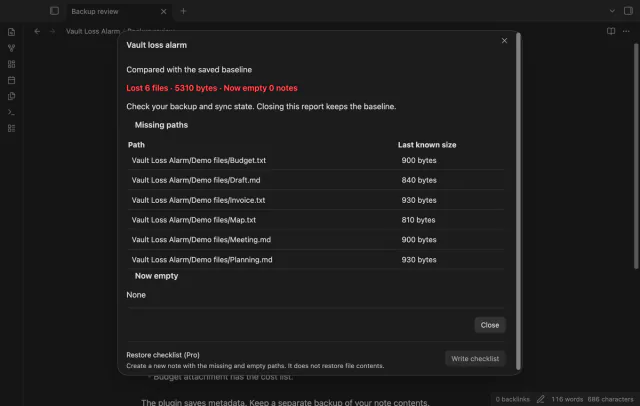
Check missing files against a saved vault record.
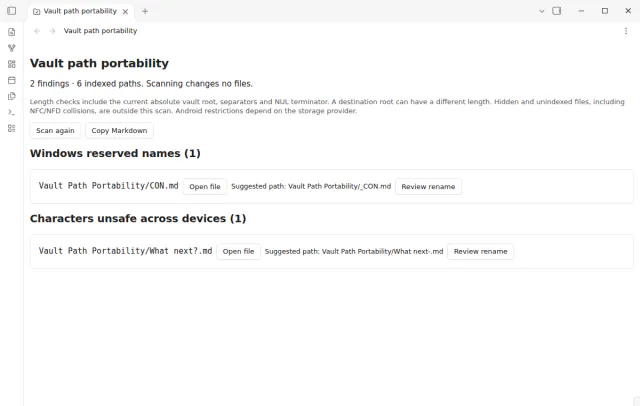
Find vault paths that can fail on Windows, macOS, Linux, iOS or Android before you move your notes.
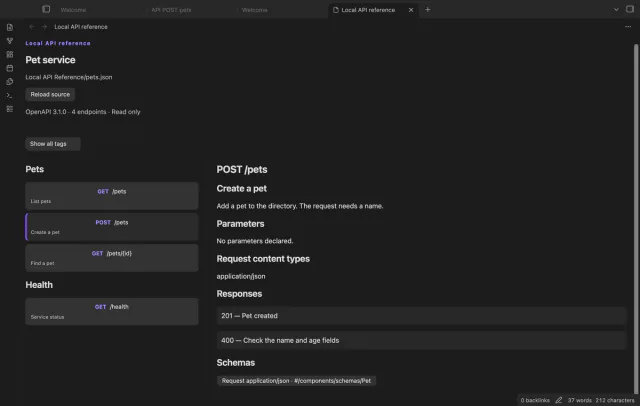
Inspect endpoints and schema properties in local OpenAPI files.
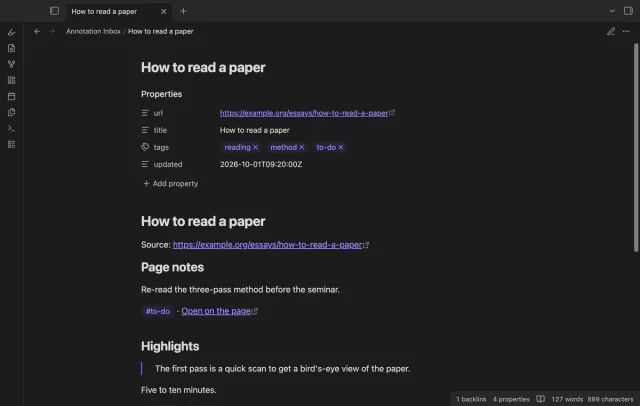
Import Hypothesis highlights, notes and tags without duplicates.
Pay $15 one time on GitHub Sponsors to turn on Pro in all 134 NoteMods plugins (Obsidian AI agents vs cloud AI). Nothing renews. The $15 Founding one-time price ends on December 31, 2026 and moves to $29 on January 1, 2027.