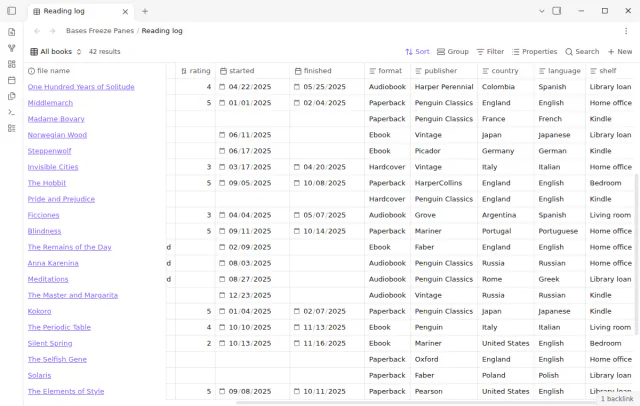
Bases Freeze Panes
Keep column and note names visible as you scroll a base.
Obsidian Bases gives you native typed tables and card views backed by YAML frontmatter. Dataview gives you a query language for custom reports.
Choose Obsidian Bases plus NoteMods when you want fast native views, inline editing, frozen columns, and filter switches without writing query code. Keep Dataview when you need custom JavaScript queries or inline double-colon fields inside note bodies.
| Area | Obsidian Bases and NoteMods | Dataview |
|---|---|---|
| Data model | Native YAML frontmatter properties stored in each Markdown note | YAML frontmatter plus inline key::value fields and task metadata |
| Editing rows | Edit cells directly inside table and card views | Read-only query output by default without extra plugins |
| Performance | Built into Obsidian core for fast filtering and sorting | Fast on small vaults, slower when complex JS queries run across thousands of notes |
| Views and controls | NoteMods adds frozen panes, filter switches, manual order, view tabs, and link graphs | Tables, lists, tasks, calendars, and custom DataviewJS renderers |
| Learning curve | Point-and-click filters and native Base formulas | Requires DQL query syntax or JavaScript for advanced layouts |
| Cost | Obsidian core plus free MIT NoteMods plugins, optional Pro ($15 Founding, $29 from Jan 1, 2027) | Free open source community plugin |
Core NoteMods features stay free under MIT. Founding one-time Pro price is $15 until December 31, 2026 and moves to $29 on January 1, 2027.
Move key fields from inline note text into standard YAML frontmatter properties.
Create a native .base view for each recurring Dataview table you check daily.
Add NoteMods Bases plugins for frozen headers, saved filter switches, or task rows where needed.
Keep Dataview installed only for complex JavaScript reports that Bases cannot express yet.
Every plugin below is free to install from the Obsidian community directory with optional Pro features.
Keep column and note names visible as you scroll a base.
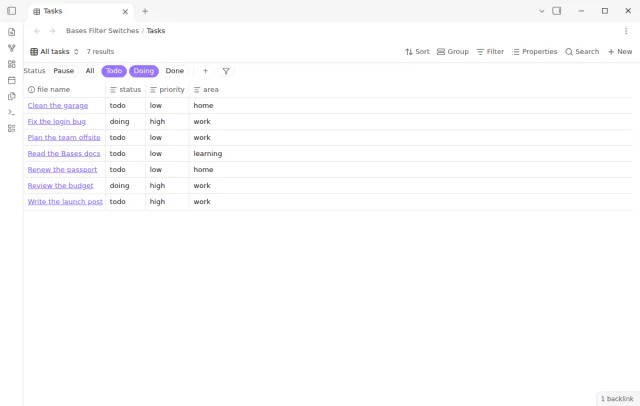
Turn saved Bases filters on or off with switches.
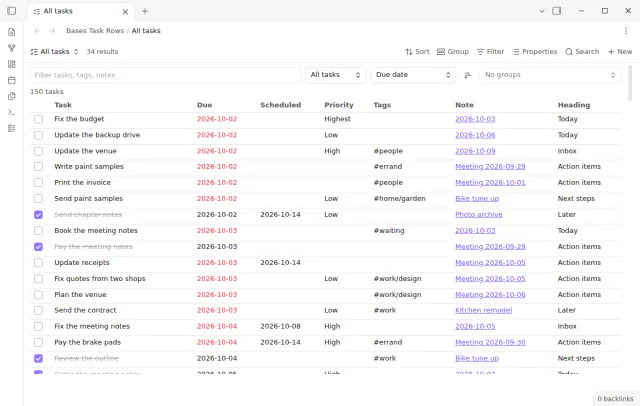
See each task from the notes in a base as a separate row.
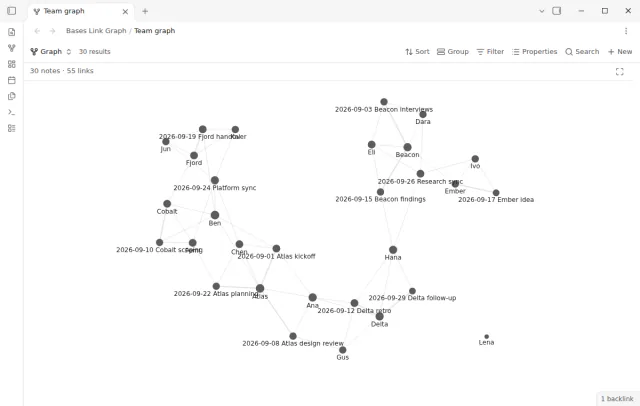
See the notes and links from a filtered base as a graph.
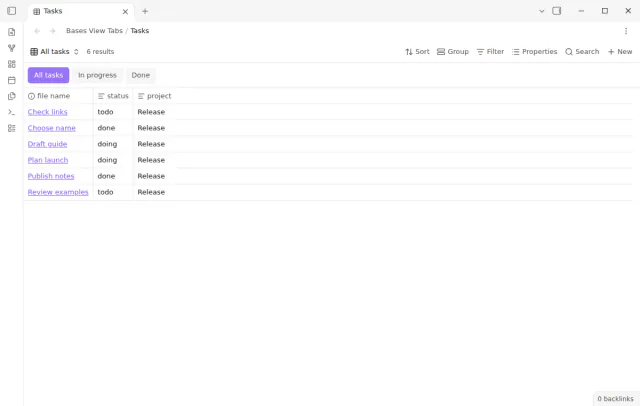
Change between the saved views of a Base in one click from a tab strip under its toolbar.
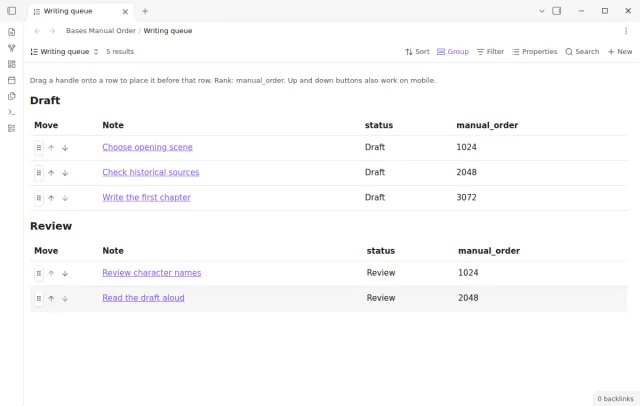
Drag rows in a Bases view and keep the order as a number in each note.
Pay $15 one time on GitHub Sponsors to turn on Pro in all 134 NoteMods plugins (Obsidian Bases vs Dataview). Nothing renews. The $15 Founding one-time price ends on December 31, 2026 and moves to $29 on January 1, 2027.