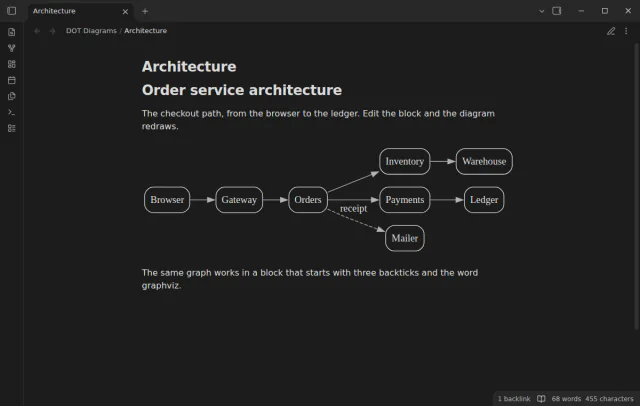
DOT Diagrams
Show Graphviz DOT code as a diagram in your theme colors.
Draw local Graphviz DOT diagrams, build keyboard mind maps on Canvas, and embed visual timelines and boards directly inside notes.
Browse free dual-mode Obsidian themes Browse all Obsidian Bases plugins
Every plugin below is open source under MIT and free to install from the Obsidian community directory.
Directory facts fetched from community.obsidian.md/users/theluckystrike.
Visual notes help you map architecture, timelines, and project plans next to written specs. Every plugin in this workflow renders locally in Obsidian without sending note text to an external server. Pair these seven directory-listed plugins to move smoothly between outlines, diagrams, and boards.
7 directory-listed plugins with live download counts. Select any plugin to view free features, Pro features, and its install link.
Show Graphviz DOT code as a diagram in your theme colors.
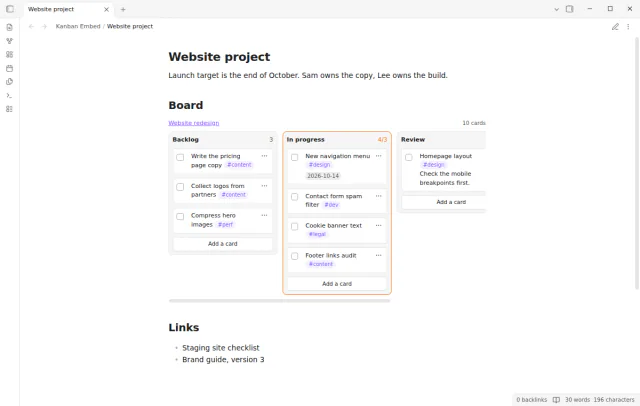
Use a Kanban board inside a project or daily note.
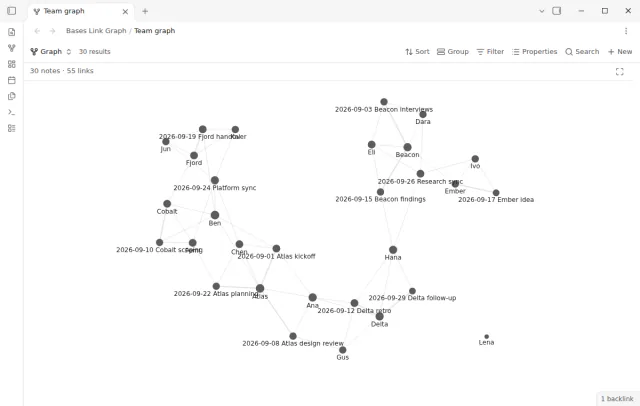
See the notes and links from a filtered base as a graph.
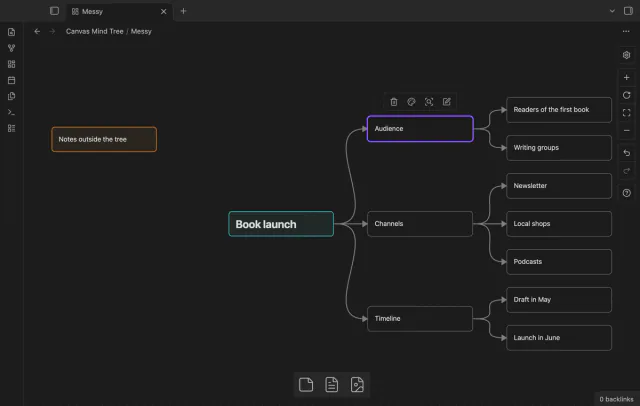
Press Tab for a child card and Enter for a sibling card, then tidy the tree in one command.
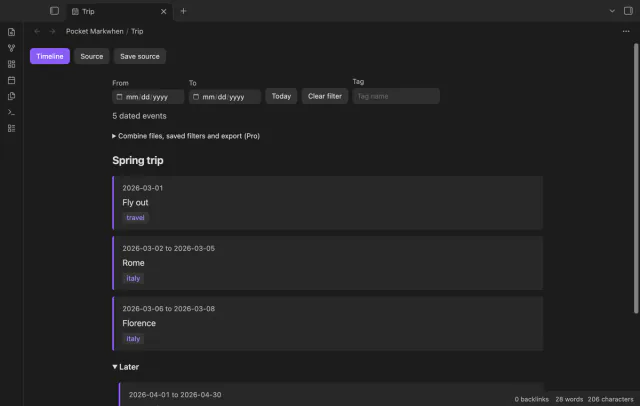
Read a Markwhen timeline and edit its source.
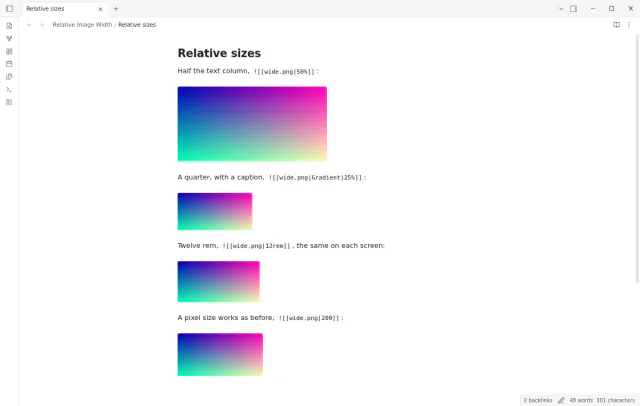
Add a size such as 50% to an image link and the image fills half the text column.
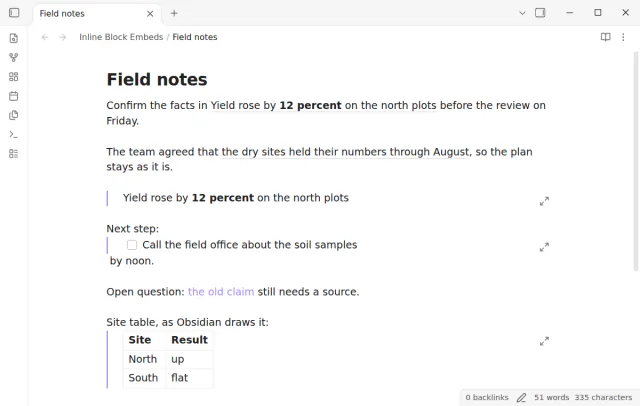
Read an embedded block as text in your sentence, with a hover preview and a jump to the source.
Pay $15 one time on GitHub Sponsors to turn on Pro in all 134 NoteMods plugins, including all diagram, Canvas, and visual plugins. Nothing renews. The $15 Founding one-time price ends on December 31, 2026.