Local AI agent and MCP vault workflows

Prepare structured context, guard files against bad writes, and connect local automation tools when coding agents or MCP servers read your vault.

20-Plugin AI Agent Memory and Brain suite Browse all AI agent and MCP plugins Early access agent plugins

Every plugin below is open source under MIT and free to install from the Obsidian community directory.

plugins
9
downloads
1,317
with pro
8
updated
2026-11-29

Directory facts fetched from community.obsidian.md/users/theluckystrike.

How this workflow fits together

Running local coding agents or MCP tools against a Markdown vault works best when context is clear and file safety checks run automatically. This workflow combines directory-listed NoteMods plugins for context mapping, encrypted secret transfer, and write monitoring so your vault stays safe and portable.

Step by step setup

  1. Map exact note context before prompting

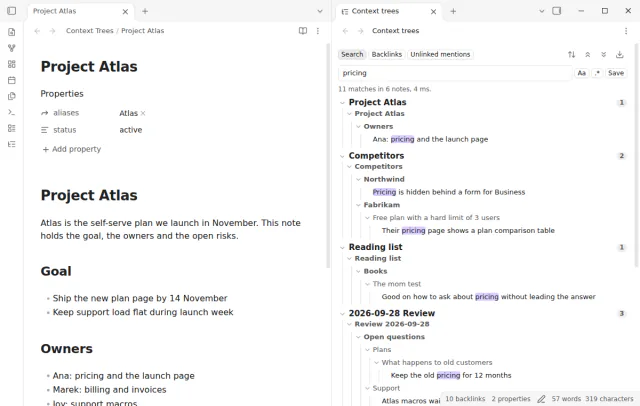
    Use Context Trees to see the headings and parent list items above every search result and backlink. Read local OpenAPI files directly inside Obsidian with Local API Reference when agents integrate with APIs.

  2. Capture meetings, highlights, and local shortcuts

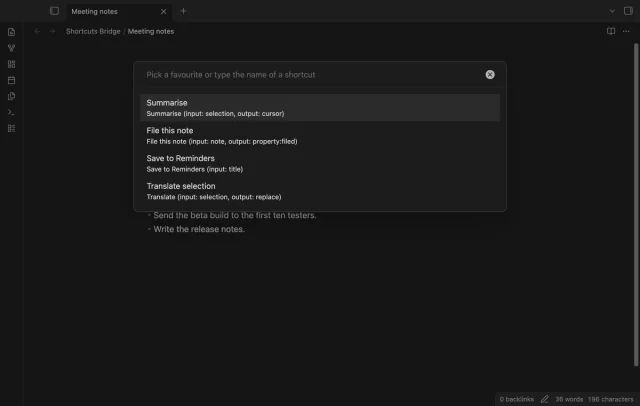
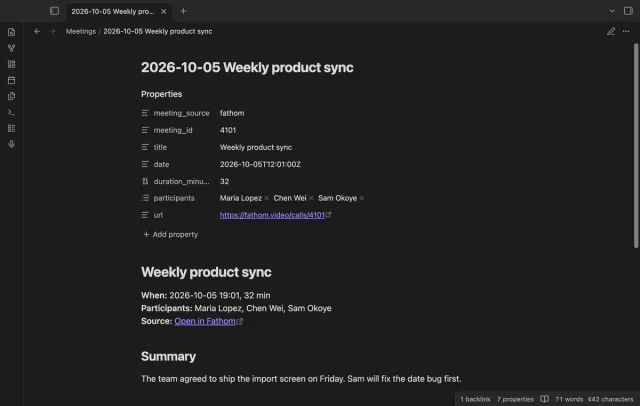
    Bring Fathom meeting summaries into structured notes with Call Notes Sync and pull web highlights with Annotation Inbox. Trigger Apple Shortcuts from commands or notes using Shortcuts Bridge to pass text into local automation.

  3. Protect secrets and detect bad file writes

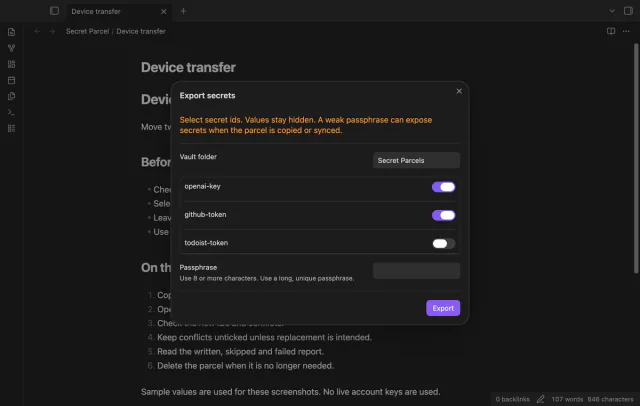
    Move chosen SecretStorage entries between devices in a passphrase-encrypted file with Secret Parcel. Keep Vault Loss Alarm and Sync Churn Watch active to catch missing files, newly empty notes, or rapid write loops.

  4. Check path safety and early-access agent guards

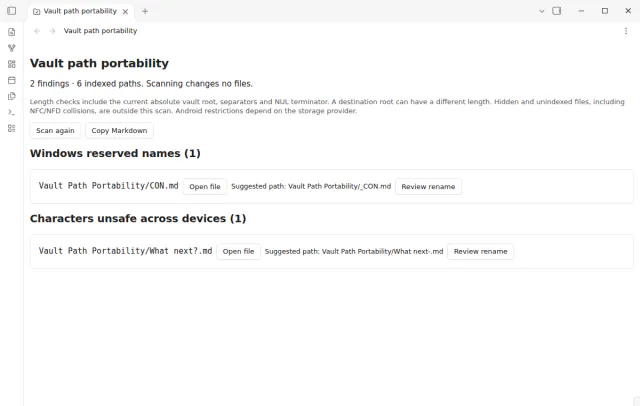
    Run Vault Path Portability to find file names that fail across operating systems. Check Agent Rules and Token Budget Map on the Early access page for private folder deny rules and folder token counts.

Plugins in this workflow

9 directory-listed plugins with live download counts. Select any plugin to view free features, Pro features, and its install link.

Search results shown as trees of headings and list items.

Context Trees

Show parent headings and lists in search results.
v1.4.4 · 409 downloads

A shortcut list with four favorites and their inputs.

Shortcuts Bridge

Run Apple Shortcuts with selected text or note details.
v1.2.3 · 182 downloads

An imported meeting note with properties, participants and a summary.

Call Notes Sync

Import Fathom summaries and tasks into notes.
v1.2.5 · 131 downloads

The export checklist shows selected sample secret IDs with hidden values.

Secret Parcel

Transfer selected secrets and preview conflicts.
v1.1.4 · 119 downloads

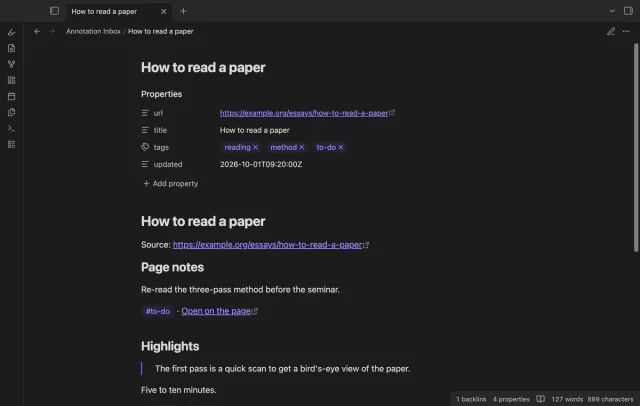
An imported page note with properties, a source link and a highlight.

Annotation Inbox

Import Hypothesis highlights, notes and tags without duplicates.
v1.2.1 · 113 downloads

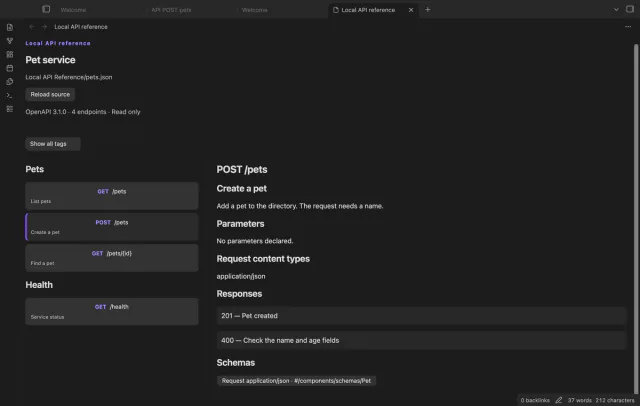
A POST pets endpoint with content types, response codes and a schema button.

Local API Reference

Inspect endpoints and schema properties in local OpenAPI files.
v1.1.4 · 103 downloads

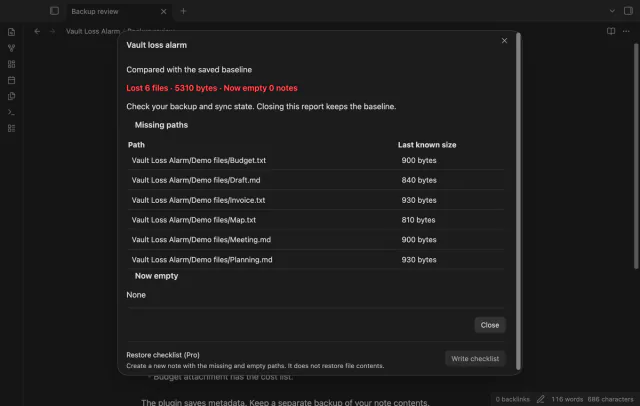
The loss report lists six missing paths with their last known sizes.

Vault Loss Alarm

Check missing files against a saved vault record.
v1.1.3 · 98 downloads

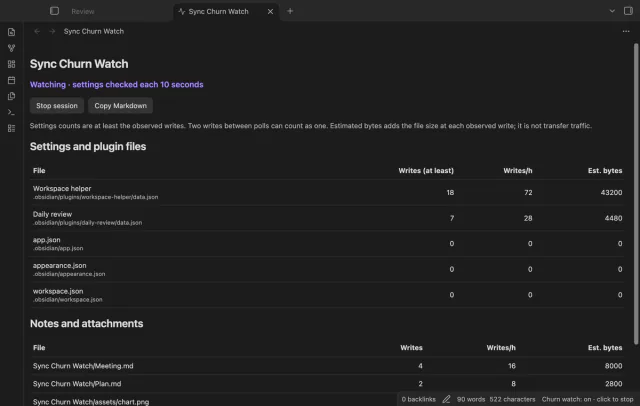
A sample watch session separates settings files from notes and attachments.

Sync Churn Watch

Compare observed file and settings writes.
v1.1.3 · 90 downloads

A vault path report groups the flagged paths by portability rule.

Vault Path Portability

Find vault paths that can fail on Windows, macOS, Linux, iOS or Android before you move your notes.

v1.2.3 · 72 downloads

One payment covers every NoteMods Pro plugin

Pay $15 one time on GitHub Sponsors to turn on Pro in all 134 NoteMods plugins, including agent, MCP, and vault safety plugins. Nothing renews. The $15 Founding one-time price ends on December 31, 2026.