本地 AI 智能体与 MCP 仓库工作流指南

当 Claude Code、Codex、Gemini CLI 或 MCP 服务器读取仓库时,结构化上下文与自动安全检查让协作更可靠。

将上下文整理、加密凭证管理与写入守护插件组合到日常 Markdown 仓库中,即可在不牺牲隐私的前提下高效驱动本地 AI 智能体。

四步快速上手

  1. 使用 Context Trees 查看检索结果与反向链接的完整标题上下文,配合 Local API Reference 查看本地 OpenAPI 文档。

  2. 通过 Call Notes Sync 同步会议纪要,用 Annotation Inbox 整理批注,用 Shortcuts Bridge 触发本地自动化。

  3. 使用 Secret Parcel 加密传输密钥,并保持 Vault Loss Alarm 与 Sync Churn Watch 开启以防意外清空文件。

  4. 运行 Vault Path Portability 检查跨平台路径,并在 AI 智能体合集页查看 14 款智能体记忆套件。

推荐搭配的 NoteMods 插件

以下插件均在 Obsidian 社区目录免费开源提供,核心功能无需登录。

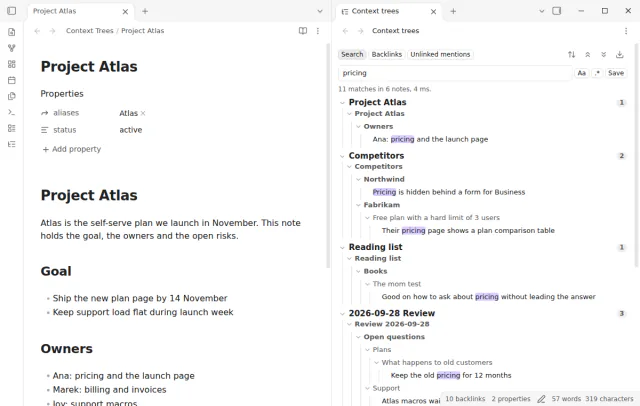
Search results shown as trees of headings and list items.

Context Trees

Show parent headings and lists in search results.
v1.4.4 · 409 downloads

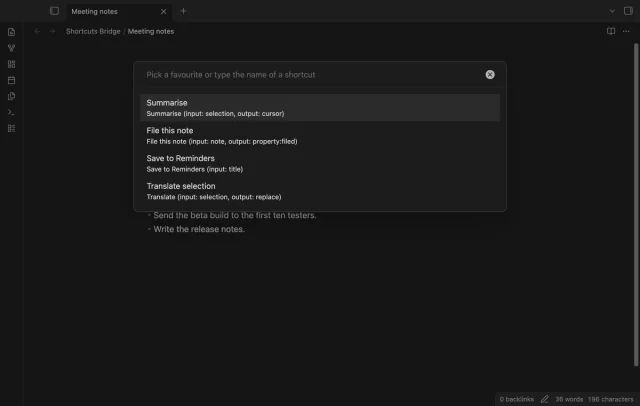
A shortcut list with four favorites and their inputs.

Shortcuts Bridge

Run Apple Shortcuts with selected text or note details.
v1.2.3 · 182 downloads

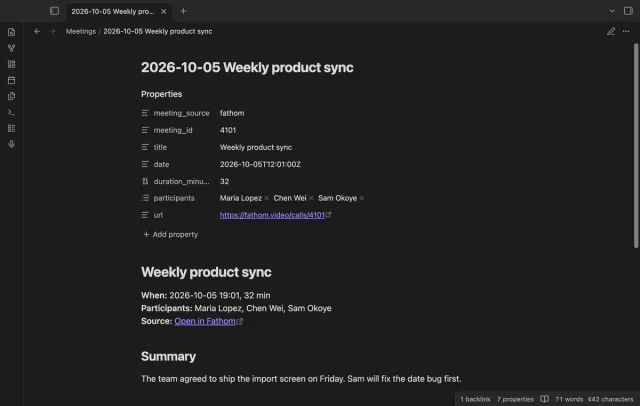
An imported meeting note with properties, participants and a summary.

Call Notes Sync

Import Fathom summaries and tasks into notes.
v1.2.5 · 131 downloads

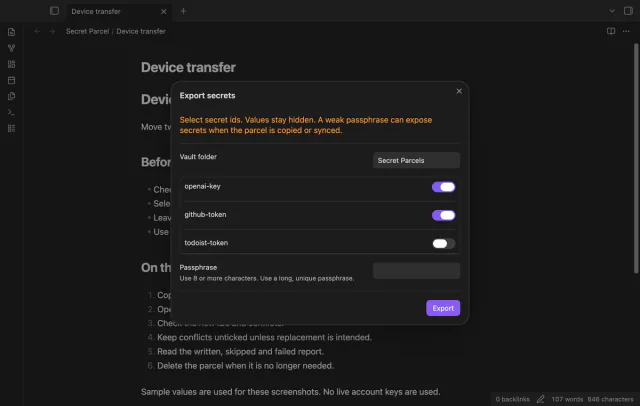
The export checklist shows selected sample secret IDs with hidden values.

Secret Parcel

Transfer selected secrets and preview conflicts.
v1.1.4 · 119 downloads

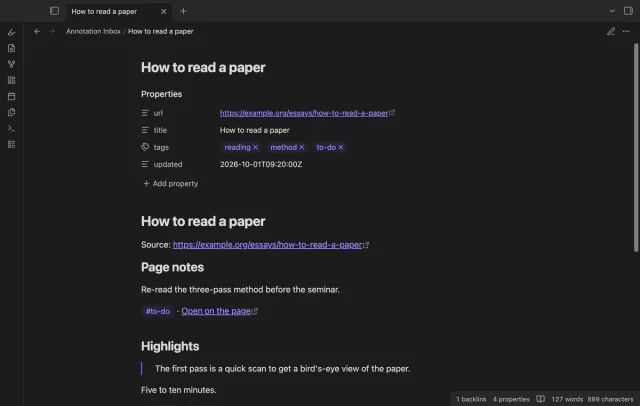
An imported page note with properties, a source link and a highlight.

Annotation Inbox

Import Hypothesis highlights, notes and tags without duplicates.
v1.2.1 · 113 downloads

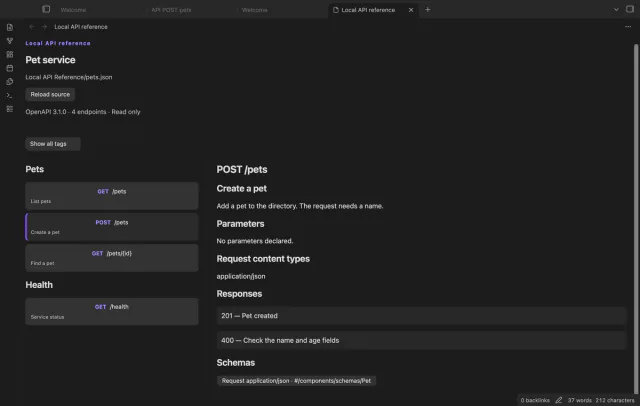
A POST pets endpoint with content types, response codes and a schema button.

Local API Reference

Inspect endpoints and schema properties in local OpenAPI files.
v1.1.4 · 103 downloads

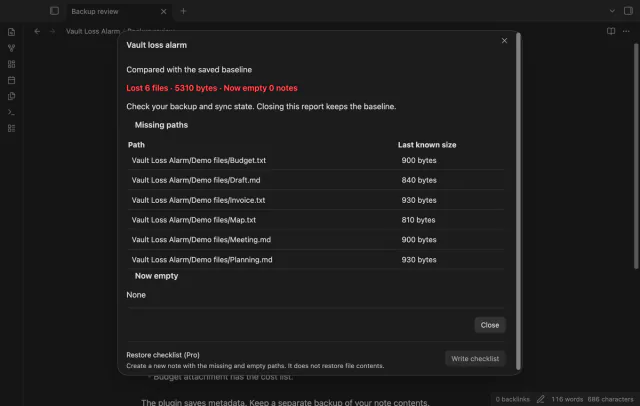
The loss report lists six missing paths with their last known sizes.

Vault Loss Alarm

Check missing files against a saved vault record.
v1.1.3 · 98 downloads

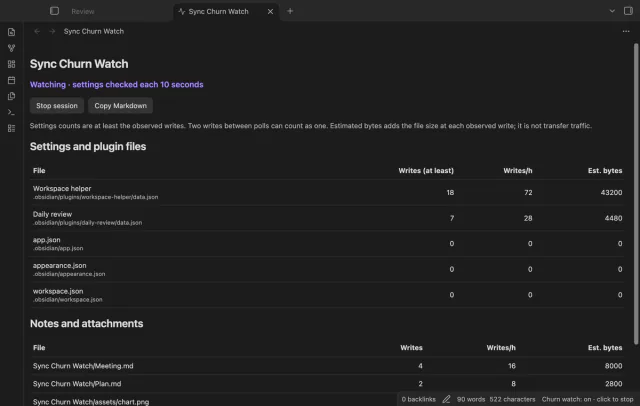
A sample watch session separates settings files from notes and attachments.

Sync Churn Watch

Compare observed file and settings writes.
v1.1.3 · 90 downloads

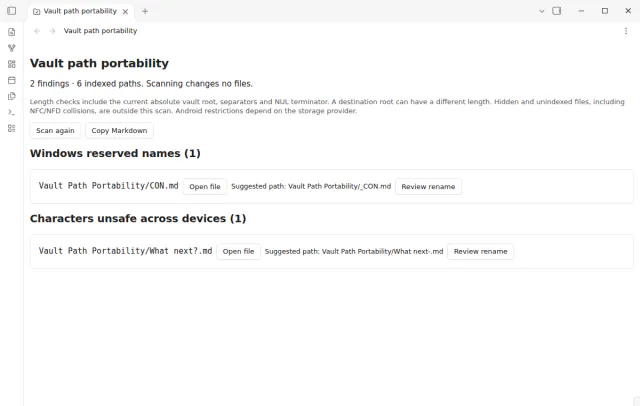
A vault path report groups the flagged paths by portability rule.

Vault Path Portability

Find vault paths that can fail on Windows, macOS, Linux, iOS or Android before you move your notes.

v1.2.3 · 72 downloads

常见问题解答

NoteMods 插件可以免费使用吗?
可以。所有 NoteMods 插件的核心功能均以 MIT 协议免费开源且无需账号,Pro 为可选增强工具。
NoteMods Pro 是一次性付款还是订阅?
支持一次性买断。$15 创始价持续至 2026 年 12 月 31 日,2027 年 1 月 1 日起为 $29,一次付款覆盖全部 Pro 插件且无续费。
我的 Markdown 笔记会被上传吗?
不会。NoteMods 插件零遥测,所有笔记与 YAML 属性均保存在本地设备中。

一次付款覆盖全部 NoteMods Pro 插件

在 GitHub Sponsors 一次性支付 $15 即可在全部 134 款 NoteMods 插件中开启 Pro 功能,无自动续费。$15 创始价将于 2026 年 12 月 31 日结束,2027 年 1 月 1 日起调整为 $29。